
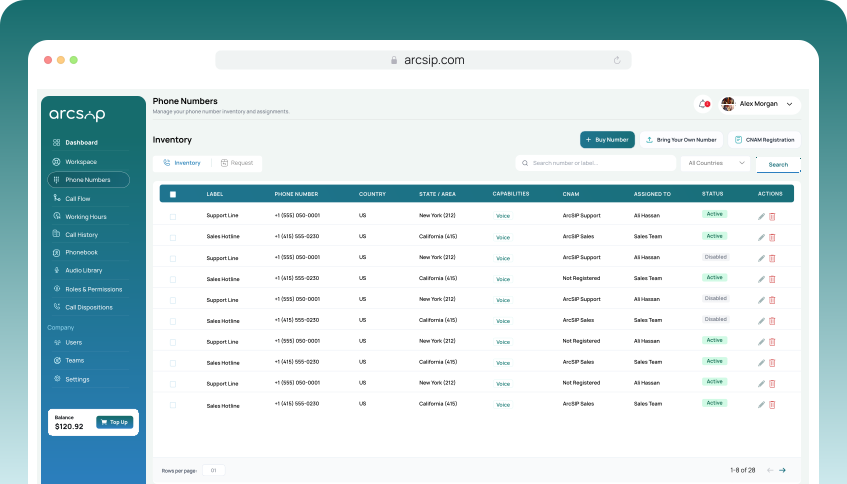
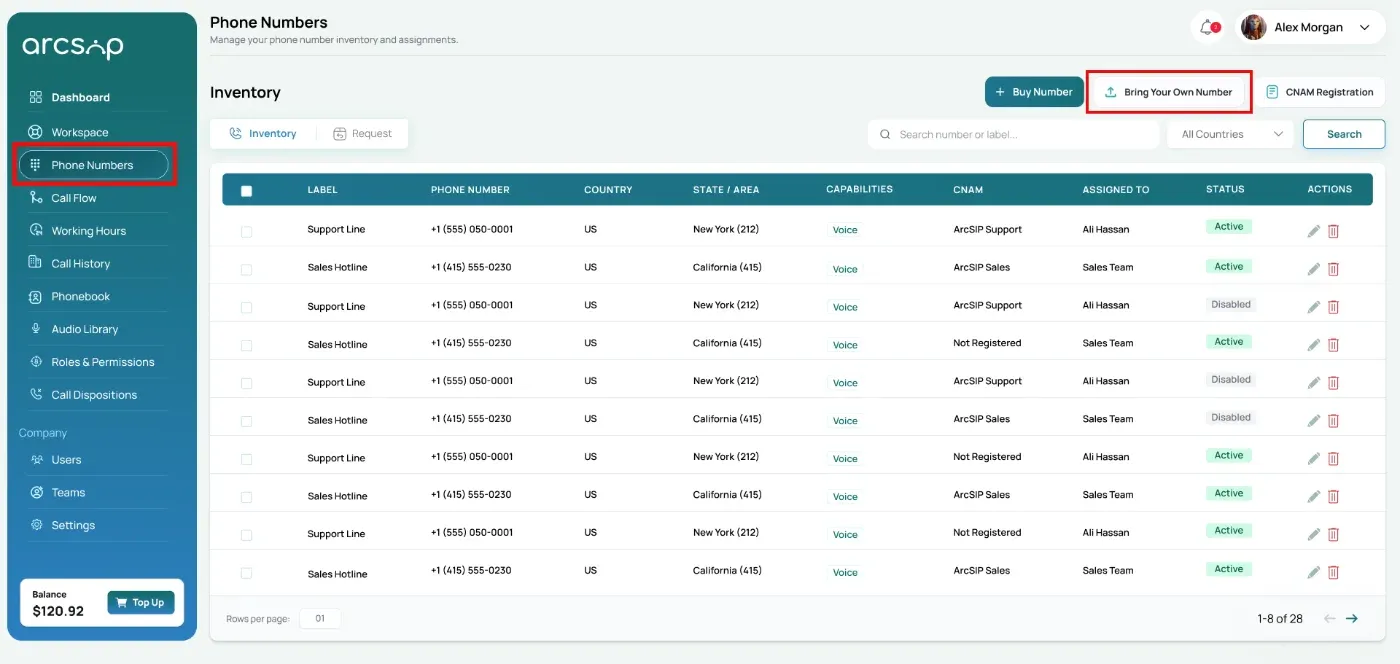
Navigate to Phone Numbers
Click Phone Numbers from the left menu to open the Inventory, then click Bring Your Own Number to start the porting process.
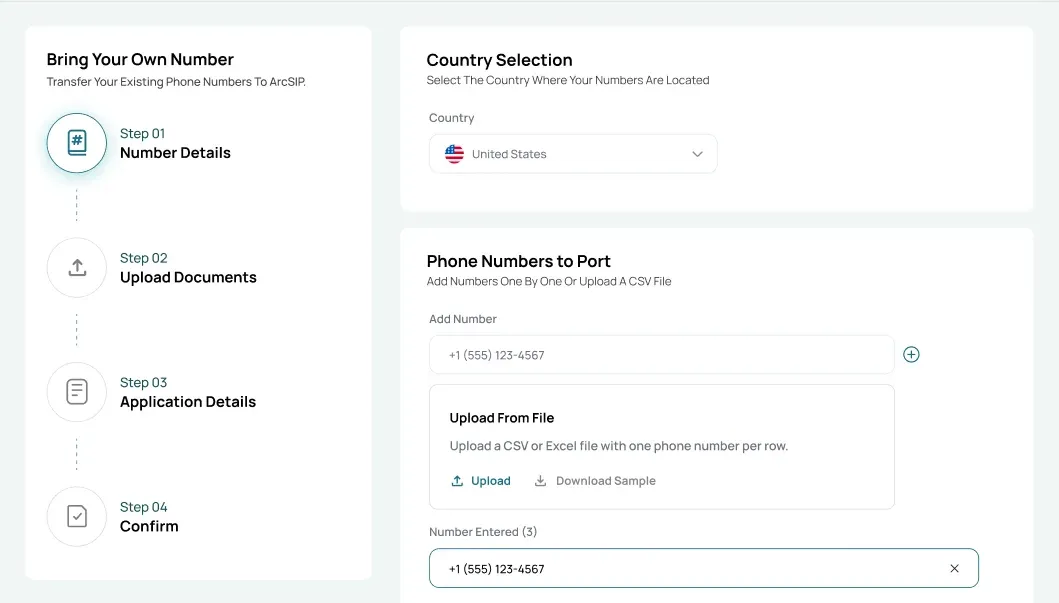
Number Details
Select the country where the phone number(s) are currently registered. Add phone numbers using one of the following options:
- Add phone numbers individually
- Upload a CSV file to add multiple numbers at once
Click Download Sample to view the required CSV format.
A list of added numbers is displayed. Click Check Portability to proceed or remove any number if required.
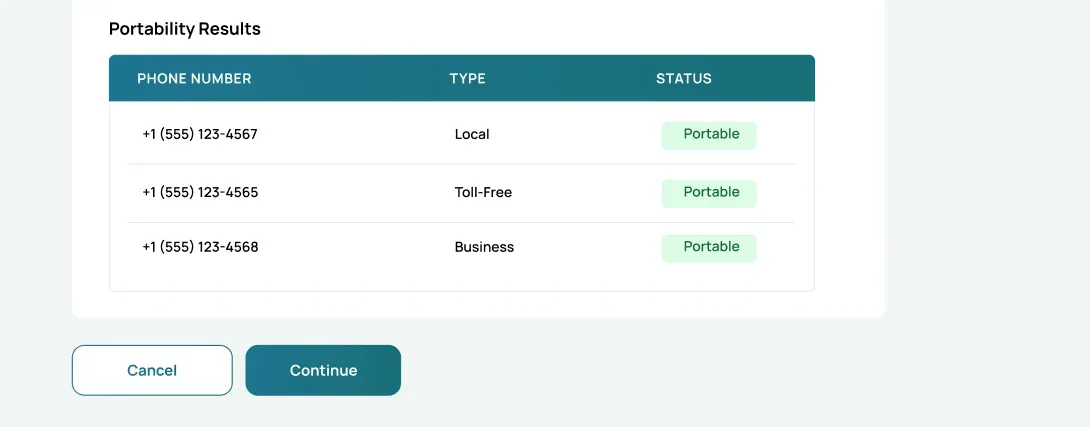
Portability Results for each number will be displayed, including:
- Phone Number: The phone number you want to port
- Type: The number type (e.g., Local, Toll-Free, Business)
- Status: The current porting eligibility status of the number
Review the Portability Results and click Continue to proceed.
Upload Documents
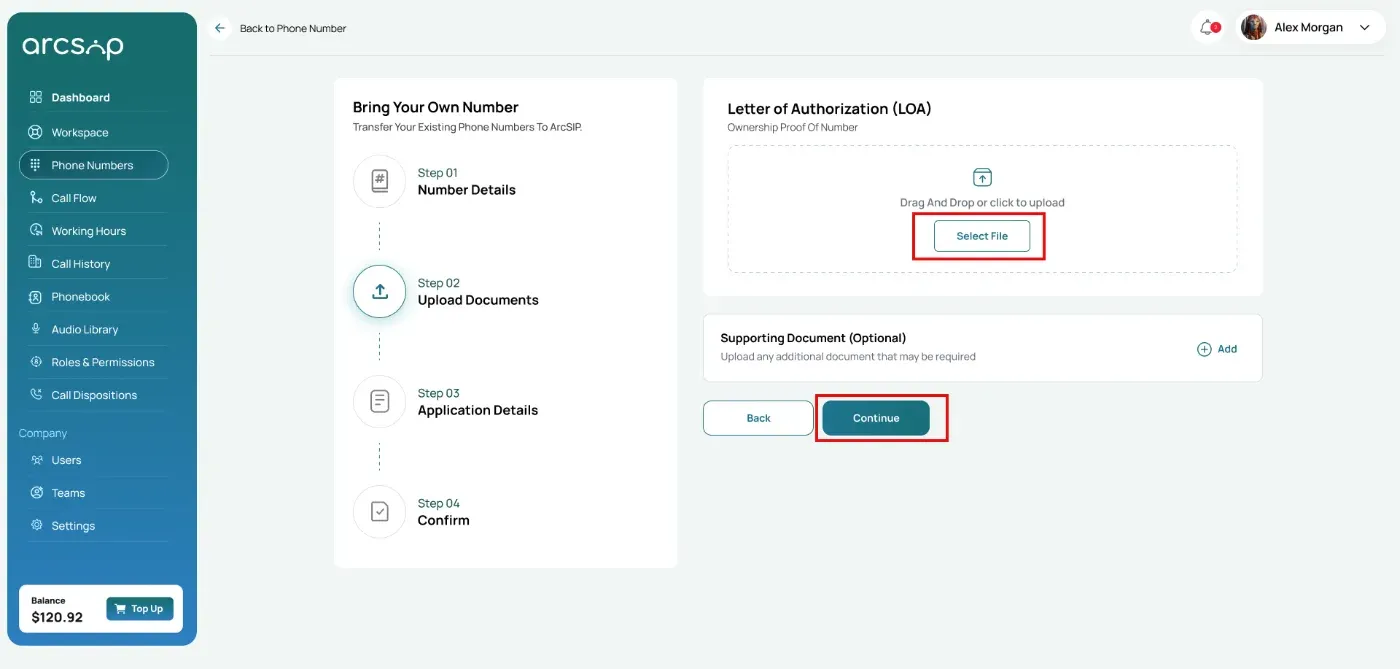
Upload the required documents to proceed with the porting request.
- Letter of Authorization (LOA): Upload the document that proves you own or are authorized to port the number
- Supporting Document (Optional): Select and upload any additional document if required, such as Customer Service Record (CSR), Invoice, or Other.
Once uploaded, click Continue to proceed.
Application Details
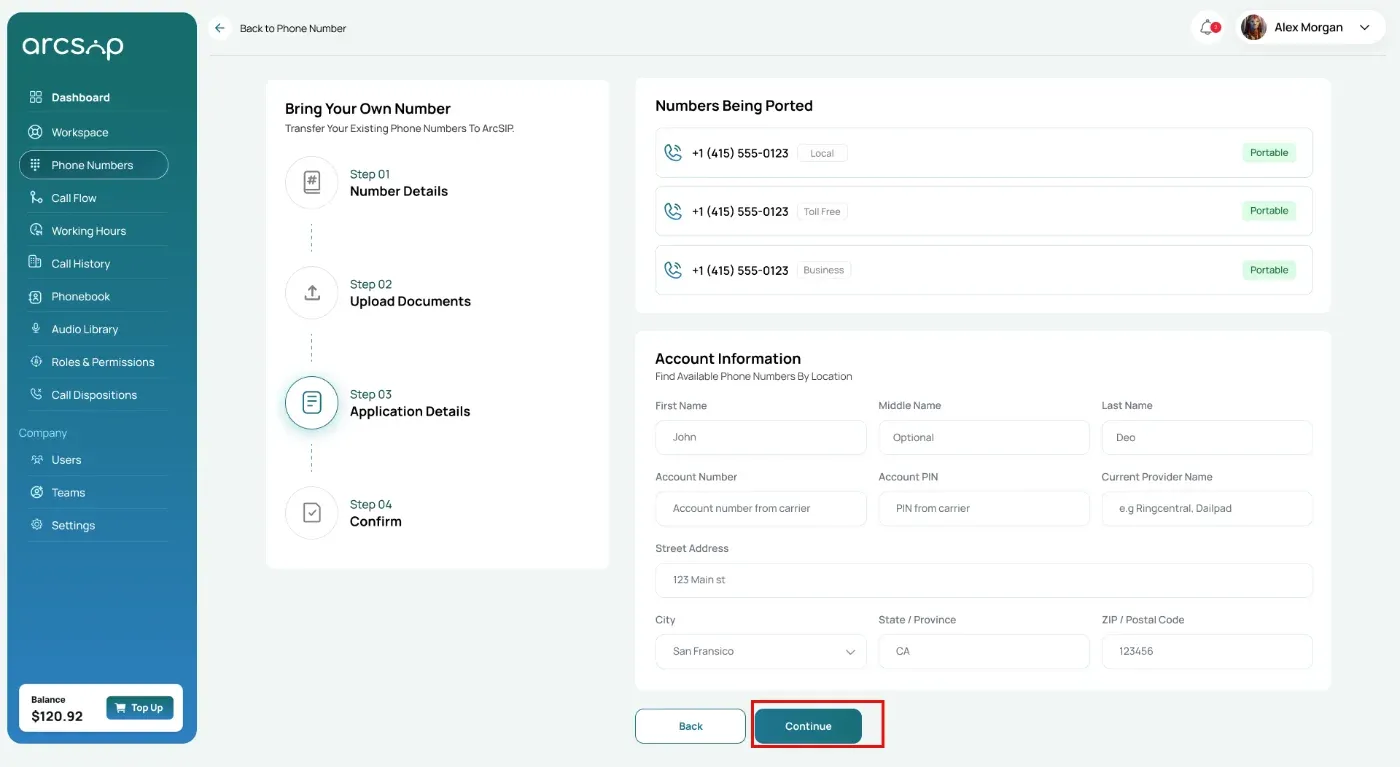
Review the application details for the numbers being ported, including portability status and account information.
Enter the following details of your current service provider account:
- First Name / Middle Name / Last Name: Full name on the account (include middle name if applicable)
- Account Number: Account number with your current carrier
- Account PIN: PIN or passcode for the account
- Current Provider Name (BTN): Name of your existing phone service carrier
- Billing Address: Full street address, city, state/province, and ZIP/postal code linked to the account
Once the account information is entered, click Continue to proceed.
Confirm
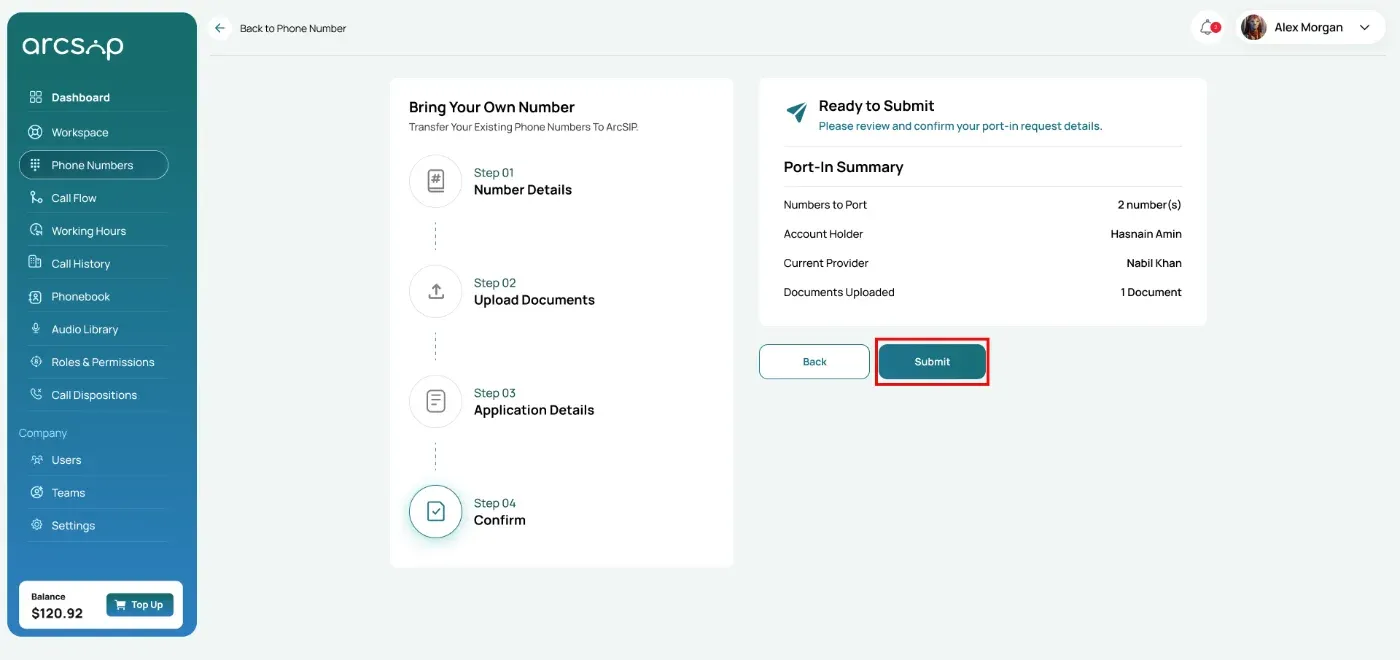
Review your port-in request details before submission.
- Numbers to Port: The total number of phone numbers included in the port request
- Account Holder: The name registered on the account
- Current Provider: Your existing phone service provider
- Documents Uploaded: The number of supporting documents submitted
After reviewing the details, click Submit to complete your request.
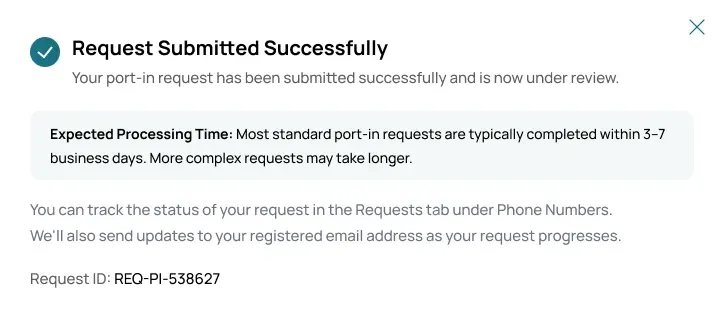
Your port-in request is submitted successfully and enters review, with a Request ID you can use to track its status.